Building Case Analyst · Part 1 of 8
Building a cyberpunk detective game in pure Flutter — no game engine
TL;DR — Case Analyst is a narrative detective game I built with plain Flutter widgets — no Flame, no game engine. Because the whole game is a fictional operating system (a terminal, a forensic tool, a chat app), Flutter's widget tree is the game. State lives in Riverpod, screens are wired with go_router, and a single ScenarioManager notifier acts as the game director, reacting to an event bus.
You sit at an analyst's desk, type commands into a terminal, enhance a grainy photo until a reflection betrays a suspect, talk a field agent through a door they shouldn't open. There is no avatar to move, no physics, no sprite sheet. So when people ask which game engine I used, the honest answer is: none. I used Flutter — the same toolkit you'd reach for to build a banking app.
This first post explains why that's the right call, and lays out the architecture the rest of the series builds on.
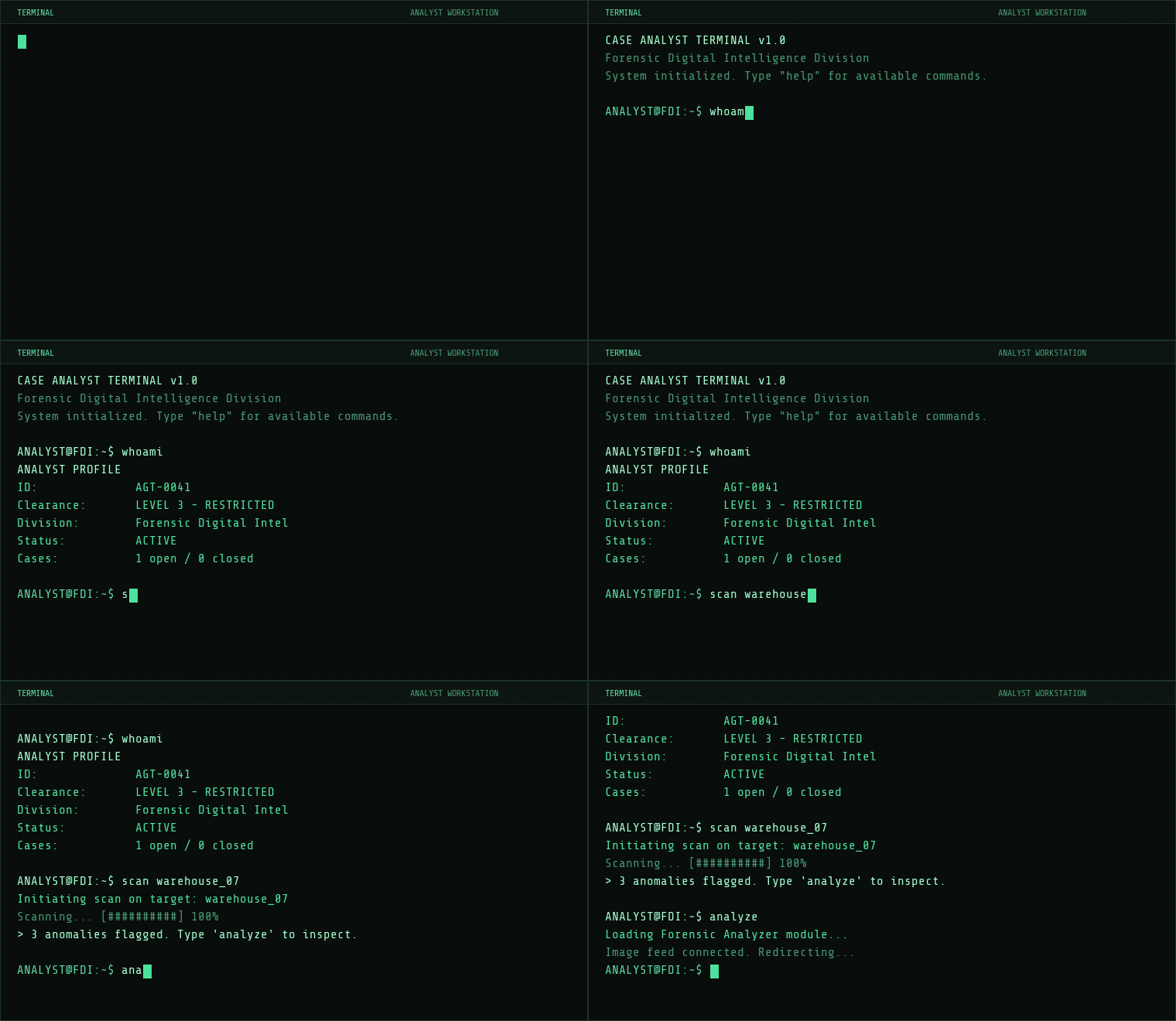
ListView of styled Text widgets and a TextField, with a per-line typewriter effect.Why not Flame (or any game engine)?
Flame is excellent when you have a continuously rendered world: a game loop running at 60fps, a camera, a sprite/component tree, collision, delta-time updates. Case Analyst has none of those needs. The "world" is a UI: panels, lists, text, an image viewer, a chat thread. Things change in response to discrete events — you ran a command, you tapped a hotspot, a timer ticked — not because a frame elapsed.
That maps perfectly onto Flutter's reactive model. The screen is a function of state; when state changes, the relevant widgets rebuild. I get layout, theming, accessibility, text rendering, scrolling, gestures and multi-platform input for free. Pulling in a game engine would mean re-implementing all of that inside a canvas, fighting the framework I actually wanted to use.
The dependency list reflects that. There's no engine — just app libraries doing app things:
dependencies:
  flutter_riverpod: ^3.2.1   # state management
  go_router: ^17.1.0         # navigation
  google_fonts: ^8.0.2       # type (Share Tech Mono ships bundled)
  audioplayers: ^6.1.0       # SFX + ambient music
  video_player: ^2.9.2       # forensic video clips
  shared_preferences: ^2.3.4 # saves & progress
  flutter_svg: ^2.0.0
  wakelock_plus: ^1.3.4
  in_app_purchase: ^3.2.0    # IAP packs (mobile only)
The only thing that even smells like a game loop is a Timer.periodic for the mission countdown — and that's a plain Dart timer, not an engine tick.
The "analyst desktop" metaphor
The design conceit is that you're using a piece of fictional investigative software. That conceit is also the UI architecture. The whole game runs inside one screen — AnalystDesktopScreen — which hosts three swappable panels plus an overlaid forensic tool. A tiny Riverpod notifier decides which panel is on screen:
enum DesktopPanel { terminal, fieldLink, dashboard }

class _ActiveDesktopPanelNotifier extends Notifier<DesktopPanel> {
  @override
  DesktopPanel build() => DesktopPanel.terminal;
  void set(DesktopPanel value) => state = value;
}

final activeDesktopPanelProvider =
    NotifierProvider<_ActiveDesktopPanelNotifier, DesktopPanel>(
        _ActiveDesktopPanelNotifier.new);
That same file holds a small constellation of these one-line notifiers: forensicActiveProvider, terminalUnreadProvider, splitForensicActiveProvider, autoSavingProvider, and so on. Each is a single boolean or enum that some widget watches. This is deliberately boring — and it's a pattern I'll defend: a game is a pile of small, observable facts ("which tab is active", "is there an unread message", "is a save in flight"), and Riverpod lets each fact be its own provider that only rebuilds the widgets that care.
The layout: core / features / shared
The lib/ tree splits three ways, which is the convention that kept a one-person codebase navigable as it grew past twenty missions:
lib/
  core/        # framework-level stuff, no UI screens
    router/        app_router.dart
    game_director/ scenario_manager, mission_config, mission_state
    events/        event_bus, game_event
    services/      saves, sounds, purchases, mission loading
    theme/ responsive/ constants/
  features/    # one folder per screen / sub-app
    menu/ difficulty/ package_selection/ load_game/ settings/
    analyst_desktop/   # the game itself
      terminal/ forensic_analyzer/ field_link/ dashboard/
    archive/
  shared/      # reusable widgets (CRT overlay, glitch overlay, …)
core is the engine I didn't import: orchestration, persistence, events, navigation. features are the screens; each one is self-contained with its own notifier(s). shared holds the cyberpunk flourishes reused everywhere, like the CRT scanline and glitch overlays.
Navigation: go_router as the menu system
A game's menus are just routes. The menu, difficulty picker, package selection, settings, the desktop itself, the forensic analyzer and the archive are all GoRoutes, each wrapped in a fade transition so screen changes feel like a console booting between modes rather than a mobile app pushing pages:
abstract final class AppRouter {
  static final GoRouter router = GoRouter(
    initialLocation: '/',
    routes: [
      GoRoute(
        path: '/',
        name: 'menu',
        pageBuilder: (context, state) => CustomTransitionPage(
          key: state.pageKey,
          child: const MainMenuScreen(),
          transitionsBuilder: (context, animation, secondaryAnimation, child) {
            return FadeTransition(opacity: animation, child: child);
          },
        ),
      ),
      // /load, /difficulty, /packages, /settings, /desktop,
      // /forensic, /archive … same shape
    ],
  );
}
It's wired in at the root with MaterialApp.router(routerConfig: AppRouter.router). Using a real router instead of ad-hoc Navigator.push calls means deep-linking, the system back button on Android, and predictable transitions all work without me thinking about them.
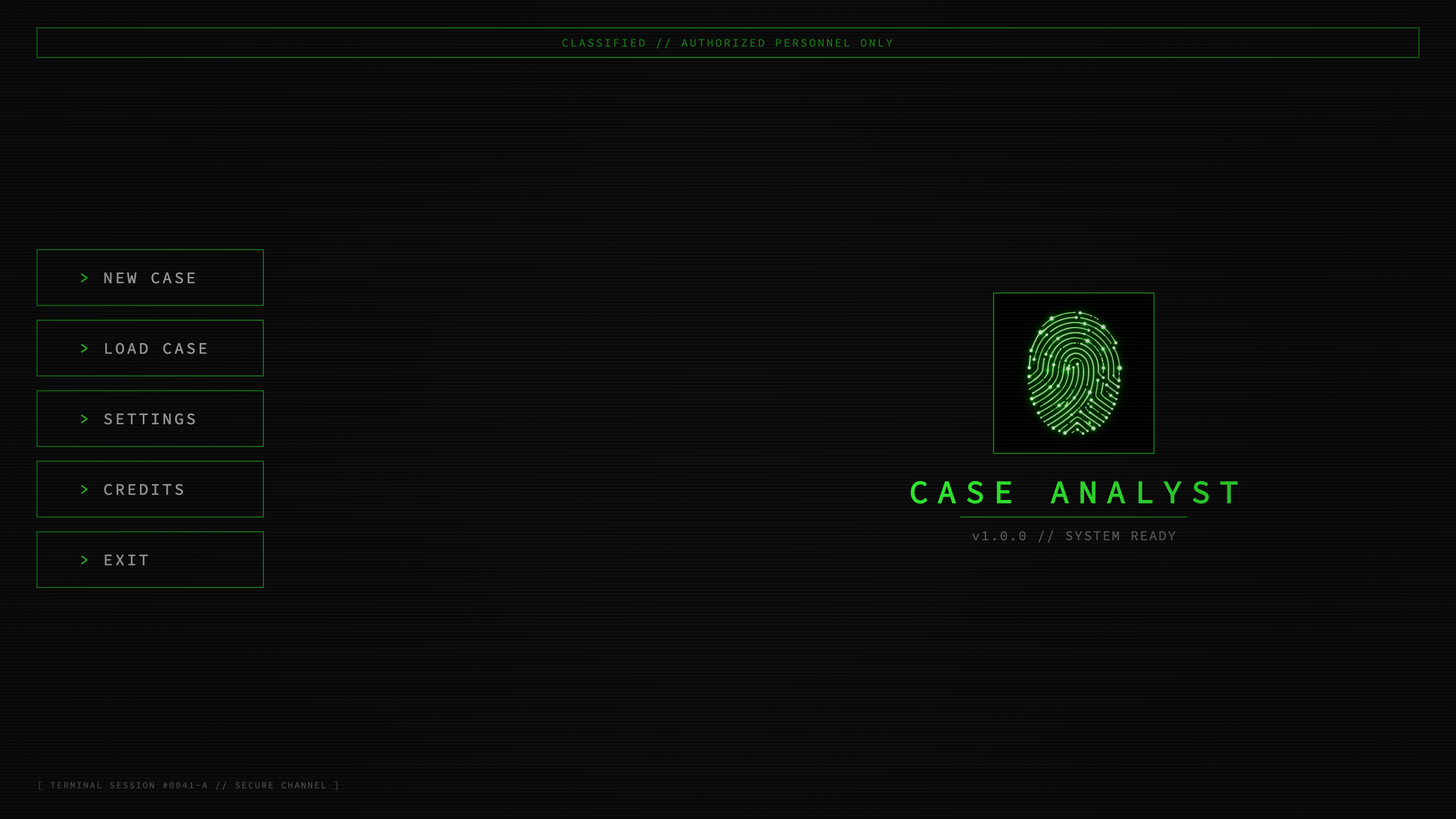
/ route — a Flutter screen, faded in like a terminal coming online.The game director: one notifier, an event bus
The piece that earns the "game" label is ScenarioManager, a Riverpod Notifier<MissionState>. It's the orchestrator: it holds the live mission state (evidence percent, trace level, timer, unlocked commands, completed objectives) and it reacts to everything that happens in the game. Critically, it doesn't reach into widgets — the widgets and the director talk through a broadcast event bus, so neither knows about the other directly.
The bus itself is about as small as it gets — a broadcast StreamController with a typed filter:
class EventBus {
  final _controller = StreamController<GameEvent>.broadcast();

  void fire(GameEvent event) => _controller.add(event);

  Stream<T> on<T extends GameEvent>() =>
      _controller.stream.where((e) => e is T).cast<T>();
}

final eventBusProvider = Provider<EventBus>((ref) {
  final bus = EventBus();
  ref.onDispose(() => bus.dispose());
  return bus;
});
When the director is built, it subscribes to the event types it cares about and tears the subscriptions down on dispose:
class ScenarioManager extends Notifier<MissionState> {
  late EventBus _bus;

  @override
  MissionState build() {
    _bus = ref.watch(eventBusProvider);

    final subs = <StreamSubscription<dynamic>>[];
    subs.add(_bus.on<CommandExecuted>().listen(_handleCommand));
    subs.add(_bus.on<OptionSelected>().listen(_handleOption));
    subs.add(_bus.on<EvidenceDiscovered>().listen(_handleEvidence));
    subs.add(_bus.on<IntroCompleted>().listen((_) => _completeIntro()));
    // …plus ForensicAudioPlaybackFinished, ForensicVideoPlaybackFinished

    ref.onDispose(() {
      _timer?.cancel();
      for (final sub in subs) {
        sub.cancel();
      }
    });

    return const MissionState();
  }
}

final scenarioManagerProvider =
    NotifierProvider<ScenarioManager, MissionState>(ScenarioManager.new);
So the flow is one clean cycle. The terminal widget parses what you typed and fires a CommandExecuted onto the bus. The director's _handleCommand looks it up against the active mission's data, applies the outcome — bumping evidence, raising the "trace" that the system is onto you, unlocking new commands, maybe pushing a message back to the terminal — and updates MissionState. Every widget watching scenarioManagerProvider rebuilds with the new numbers. The director also fires events back (like PushTerminalMessage or LoadForensicMedia), which the desktop screen listens for. That indirection is what lets a terminal command end up playing a video in a completely different panel without those two widgets ever importing each other.
Why an event bus and not just providers?
State that should be observed lives in providers. But some things are events, not state: "the player just ran a wrong command — glitch the screen once," or "play this transmission now." Modeling those as state is awkward (you'd have to reset a flag after consuming it). A fire-and-forget bus expresses them honestly, and keeps the dozen-odd UI handlers decoupled from the director. The two mechanisms compose: events flow in, the director folds them into state, the UI watches state.
The takeaway
If your game is really a piece of reactive software — a UI that responds to discrete events rather than a world that's continuously simulated — you very likely don't need a game engine, and pulling one in will cost you more than it gives. Flutter's widget tree, a state library, and a router get you a long way. The whole architecture of Case Analyst fits in one sentence: events flow through a bus into a single director notifier, which updates mission state, which the widget tree renders. Everything else in this series — the terminal parser, the forensic tool, the dialogue engine, the 21-mission format — hangs off that spine.
The series
- Building a detective game in pure Flutter (no game engine)
- An in-game terminal with a real command parser
- A forensic image analyzer: enhance, thermal & deepfake detection
- Field Link: a data-driven branching dialogue engine
- A data-driven mission & narrative engine (21 missions)
- One codebase to iOS, Android, macOS, Windows & Steam
- The AI asset pipeline of a solo indie game
- Shipping a Flutter game solo: what worked, what I'd change
Case Analyst is a cyberpunk detective game where you investigate by typing real commands in a terminal — out on mobile, coming to Steam on October 29. Wishlist it on Steam, and follow for the next part.
Where to find Case Analyst
- Official site: case-analyst.com
- Steam (launches October 29 — wishlist now): store.steampowered.com
- iOS: App Store · Android: Google Play
- Follow: YouTube · Instagram · TikTok · Discord